
Ask the Group with a Ride Poll
Leaders post a quick question in ride chat, like a lunch stop or the pace, and every rider votes with one tap.
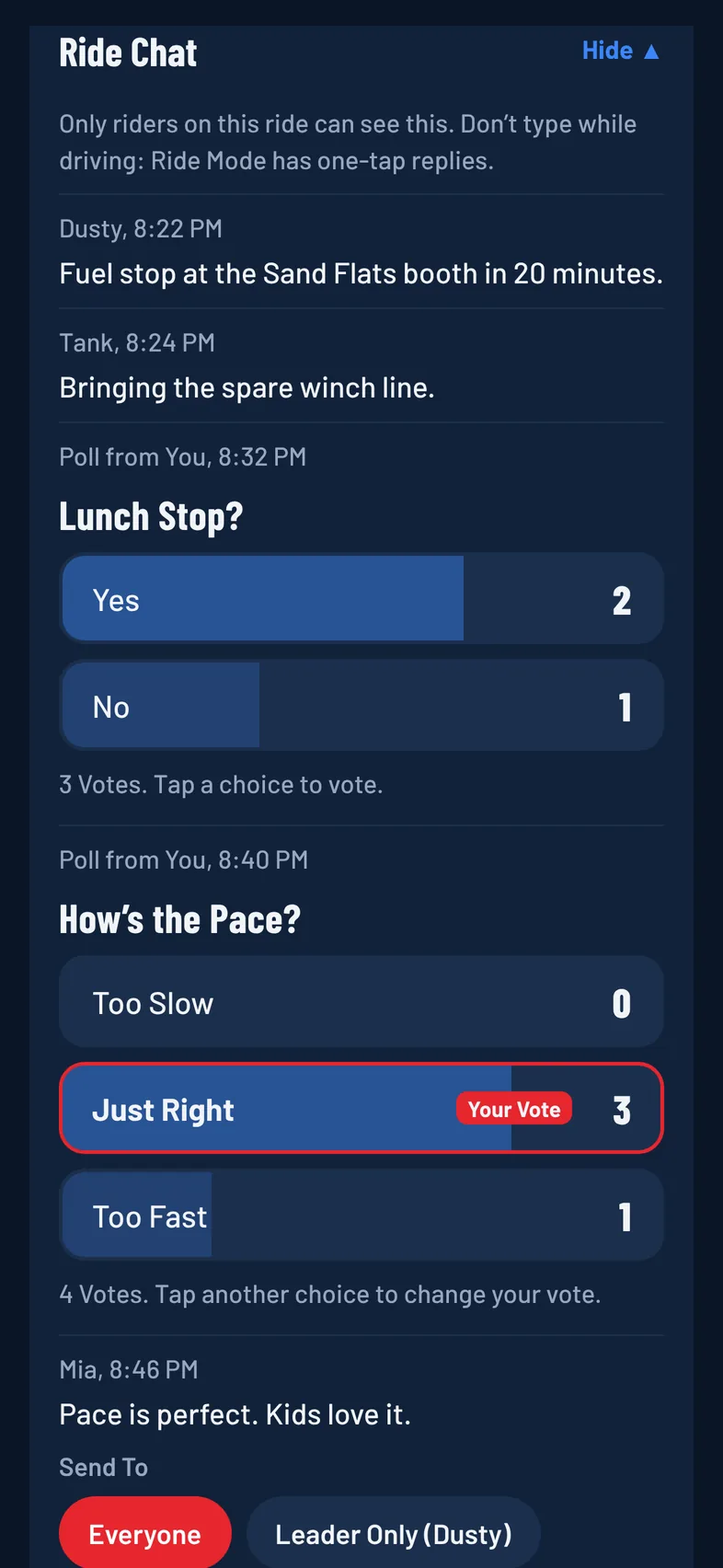
A ride poll is a quick question in the ride chat with a few choices. Every rider on the ride gets one vote, can change it, and sees the live counts.
Who Can Post a Poll
The ride's leader, the organizer and co-organizers can post polls. Every rider on the ride can vote.
Creating a poll: This is a Pro feature. See Free and Pro. On a Free plan, picking Quick Poll shows Create Ride Polls, marked Pro, instead of the poll form. Voting stays free for everyone.
Post a Poll
- Open the ride and tap Chat.
- Under Send To, pick Quick Poll.
- Tap a starter to fill it in, or type your own:
- Lunch Stop? (Yes, No)
- How's the Pace? (Too Slow, Just Right, Too Fast)
- Saturday or Sunday?
- Morning or Afternoon?
- Type or edit the Question.
- Fill in Choice 1 and Choice 2. Tap Add Choice for more, or Remove to drop one.
- Tap Post Poll.
The poll shows in the chat for everyone, and riders get a pop-up saying "Poll from" your name.
Poll Limits
- 2 to 5 choices, each different.
- The question can be up to 200 characters.
- Each choice can be up to 60 characters.
Vote
- Open the ride and tap Chat.
- Tap a choice. It's marked Your Vote.
To change your vote, tap another choice. Each choice shows its count and a bar for its share of the votes, and the leading choice is shaded darker. Under the choices you'll see the total, such as 3 Votes, or No Votes Yet.
Remove a Poll
The person who posted the poll can tap ••• next to it and tap Clear. The poll and its votes are removed for everyone.