
Check Your Fuel Range for a Ride
See if your machine's tank covers the ride's miles, using the thirds rule, before you leave and in Ride Mode.
Trail miles burn more fuel than you think. OnMyLead compares a ride's miles with your machine's range from your garage and tells you, in plain words, whether you have enough.
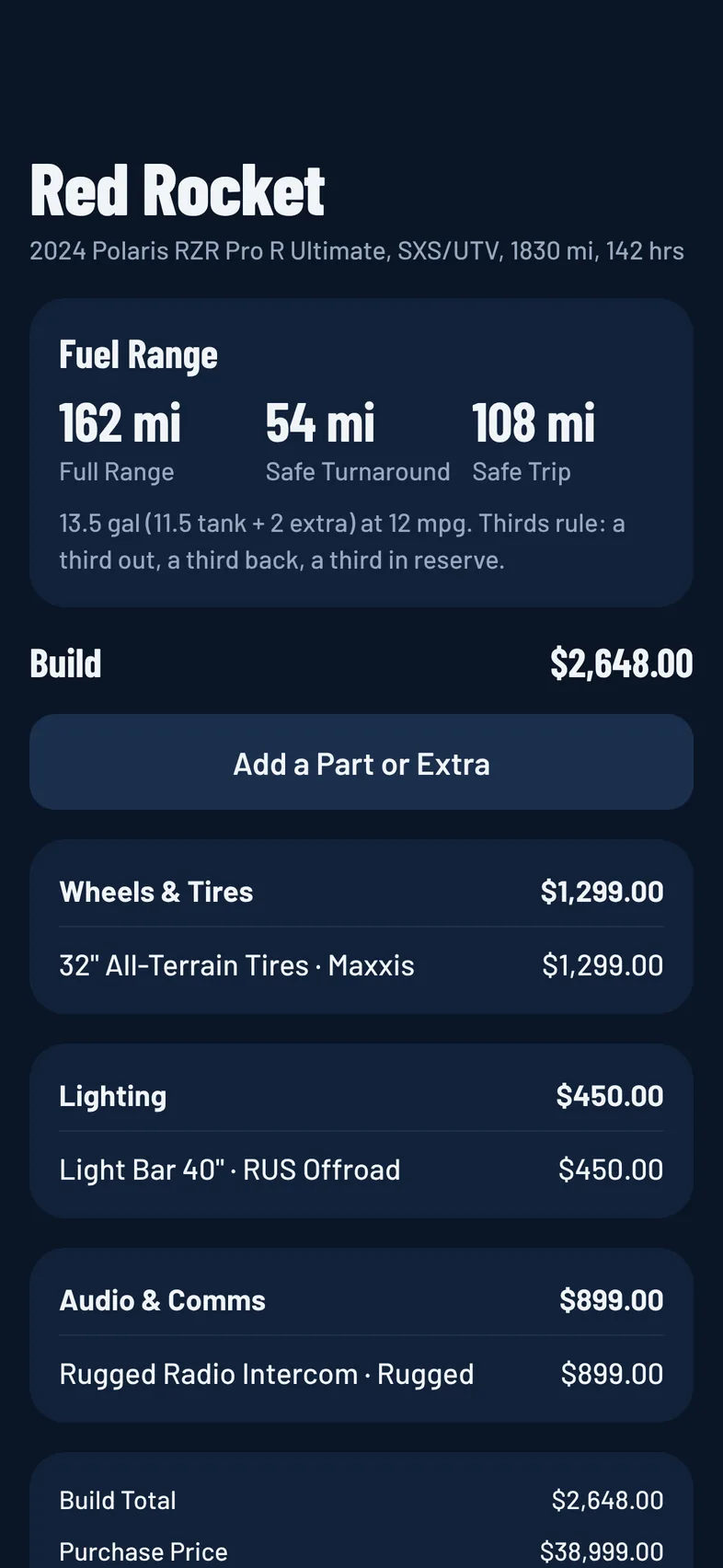
How Range Is Worked Out
Your range is your fuel (tank plus any extra fuel you carry) times your miles per gallon. The check uses the thirds rule: a third out, a third back and a third in reserve.
- Enough Range: the ride is within two thirds of your full range, so you keep a reserve.
- Range Is Tight: the ride eats into your reserve. Bring extra fuel or plan a fill-up.
- Not Enough Range: the ride is longer than your full range. The check says about how many miles short you are.
When you have enough, it also says roughly how much fuel you'll have left at the end.
Set Up Your Machine
The check needs your machine's tank size and mileage.
- Open your machine in the Garage and edit it.
- Under Fuel and Mileage, enter Tank (gal).
- If you carry spare fuel, enter Extra Fuel (gal).
- Enter Miles per Gallon. Use your real-world trail mpg, not the sticker number.
- Save.
Your machine's page then shows its Full Range, Safe Turnaround and Safe Trip miles. See Your Garage.
Where the Ride's Miles Come From
- If the ride has a mapped route, its miles come from the route. See Draw a Route.
- If not, the organizer can enter Route Length (Miles) when creating the ride, under Add Route, Difficulty and More.
A ride with neither has no miles to check against.
Check Before the Ride
- Join the ride, open it and tap the Details tab.
- Find the fuel card. Until there's a result, it's called Your Machine.
- Under Bringing, pick the machine you're taking, or None / Riding Along.
- Read the result: Enough Range, Range Is Tight or Not Enough Range, with one line of advice.
If you have only one machine with a tank size and mpg, it's checked until you pick one.
You can change your machine while the ride is scheduled or live.
If the card says to add tank size and mpg, tap Edit Machine. If your garage is empty, tap Add Your Machine to the Garage.
In Ride Mode
When the ride has a mapped route, Ride Mode shows your range check with the route progress, colored green, yellow or red. It uses the route's length and the machine you picked for the ride. See Ride Mode.
Good to Know
- The check is worked out for you from your own garage.
- It's a planning guide, not a gauge. Hills, sand, mud, load and speed all change real fuel use.
- The Trip Planner has a fuel check too. See Trip Planner.