
Use Your Riding Group's Chat
Talk with your whole riding group between rides, link a message to a ride, mute a busy group and clear messages.
Every riding group has its own chat: a group text for everyone in the group. Use it to plan the next ride or talk about the last one. It's separate from ride chat, which is for the riders on one ride.
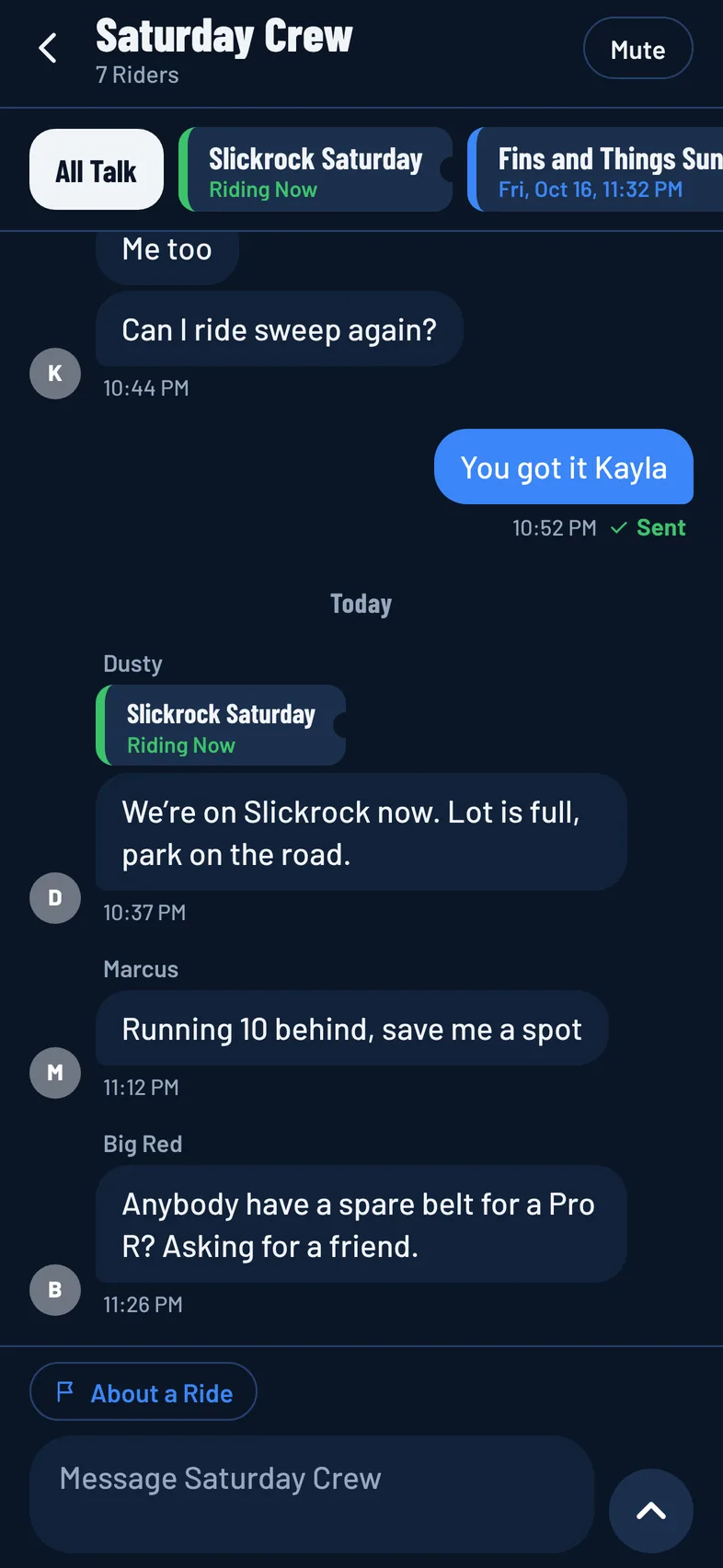
Group chat is free for everyone in the group. Only the riders in the group can read it or post in it.
Open the Chat
- Tap the Groups tab.
- Tap the newest message under a group, or open the group and tap Group Chat.
Groups with messages you haven't read show a red count.
Send a Message
- Type in the box at the bottom.
- Tap the send button.
Your message shows Sending, then Sent. If it can't go through, for example with no signal, it shows Not Sent. Tap Retry to send it again, or Remove to drop it.
Messages can be up to 500 characters. If you send a lot of messages in a row, the app asks you to wait a minute.
Talk About a Ride
You can tie a message to one of your rides, so everyone knows which ride you mean.
- Tap About a Ride above the message box.
- Under Which Ride Is This About?, pick the ride.
- Type your message and send it.
The list shows rides you've joined that are happening now, coming up, or ended in the last 30 days. To send without a ride, tap the ride's name above the message box to remove it.
Rides the group has talked about show in a strip at the top of the chat. Tap a ride to see only the talk about it, and tap Open the Ride to go to its page. Tap All Talk to see every message again.
Mute a Group
Tap Mute at the top of the chat to stop notifications from that group. Tap Unmute to turn them back on.
To turn off notifications for all your groups' chats, switch off Riding Group Chat in Notification Settings.
Clear a Message
- Your own message: press and hold it, then confirm Clear. It disappears for everyone, and this can't be undone.
- If you run the group: press and hold anyone's message and tap Clear.
Report or Block a Rider
Press and hold someone else's message, then tap Report Rider or Block Rider. Messages from riders you've blocked aren't shown to you. See Report and Block.